
The first time someone explains a crypto wallet to you, there’s a moment of genuine cognitive dissonance. You’re being told that your money isn’t actually stored anywhere — that what you possess is simply a secret number, a cryptographic key that proves you control certain assets on a decentralized ledger. Once that clicks, everything else about how digital wallets function starts to make sense. This article walks through that understanding from scratch, covering what wallets actually do, how they interact with blockchain networks, the different varieties available, and the security tradeoffs that every crypto user eventually faces.
What Is a Crypto Wallet?
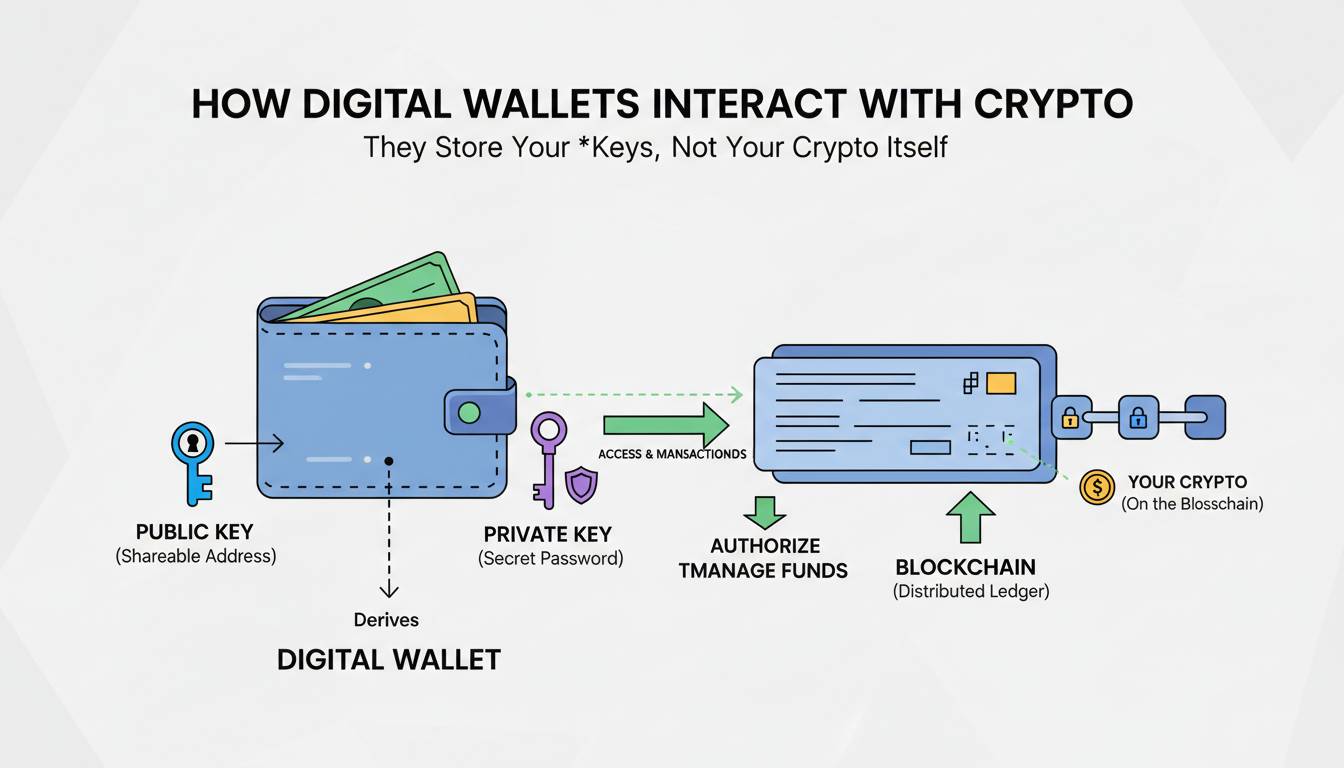
A crypto wallet is a software program or hardware device that allows you to store, send, and receive cryptocurrency. Unlike a traditional wallet that holds physical cash, a crypto wallet doesn’t store your coins or tokens directly. Instead, it stores the private keys — the cryptographic secrets that prove you control specific holdings recorded on a blockchain.
Think of it this way: the blockchain is a public ledger, like a massive spreadsheet showing every transaction that has ever occurred. Your cryptocurrency exists as entries on that ledger. The private key is what gives you the authority to move those entries. Without it, you have no control over your funds. Without the public key (and its associated address), no one can send funds to you.
This distinction matters because it changes how you think about security. If someone steals your credit card, your bank can reverse the transaction. If someone steals your private key and transfers your crypto, that transaction is irreversible. The wallet is your interface to this system — it holds the keys, constructs transactions, and communicates with the blockchain network on your behalf.
Coinbase, Binance, and other major exchanges all operate their own wallet services, but the underlying principle is consistent across every platform: the wallet is your gateway to the blockchain, nothing more, nothing less.
How Does a Crypto Wallet Work?
The mechanics of a crypto wallet involve two cryptographic keys: the public key and the private key. Understanding this relationship is essential because it explains why crypto wallets function the way they do.
Your public key is derived mathematically from your private key and can be shared freely. It functions like an account number — anyone can send cryptocurrency to you using this address. When you share your wallet address (which is typically a compressed or hashed version of your public key), you’re giving people a destination for their transactions.
Your private key is the critical piece. It’s a randomly generated number that acts as the password authorizing any movement of your funds. Whoever possesses the private key controls the associated cryptocurrency. This is why security experts repeatedly emphasize: not your keys, not your crypto. If you don’t hold your private keys, you’re relying on a third party to safeguard your assets.
When you initiate a transaction, your wallet uses your private key to create a digital signature. This signature proves to the blockchain network that you are the legitimate owner of the funds you’re trying to send. The network verifies this signature without ever exposing your private key — that’s the elegance of asymmetric cryptography.
Here’s a concrete example using Ethereum. Suppose you want to send 1 ETH to a friend. Your wallet constructs a transaction specifying the amount, the recipient’s address, and a fee for the network. It then signs this transaction with your private key. When you broadcast the transaction to the Ethereum network, nodes verify your signature, confirm you have sufficient balance, and add the transaction to the blockchain. Within seconds to minutes (depending on network congestion), the transaction settles, and your friend’s wallet balance increases by 1 ETH.
Different blockchains use different signature algorithms — Bitcoin uses ECDSA (Elliptic Curve Digital Signature Algorithm), while Ethereum has moved to Schnorr signatures for certain transaction types — but the fundamental process remains the same across all of them.
Types of Crypto Wallets
Not all crypto wallets are the same, and choosing the right type depends on your use case, your technical comfort level, and how much security you’re willing to trade for convenience.
Hot Wallets vs. Cold Wallets
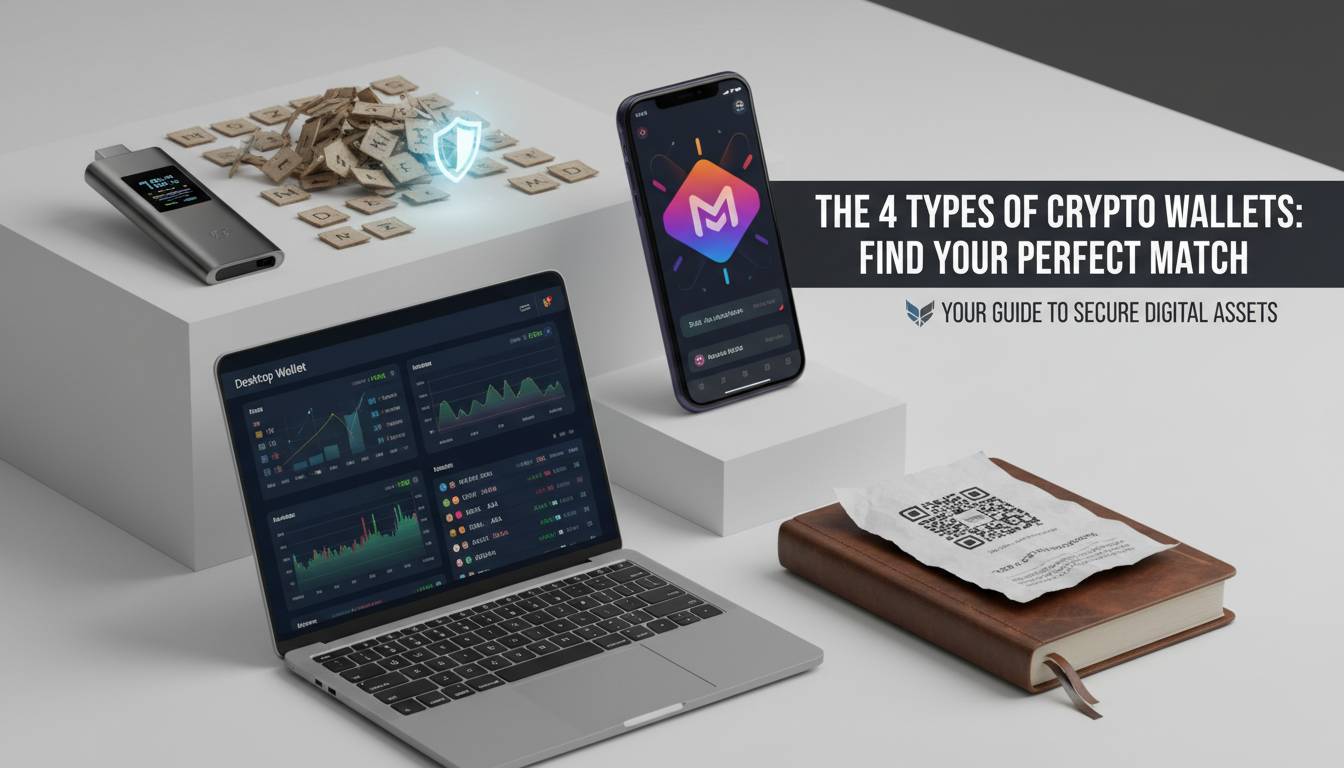
The most fundamental distinction is between hot wallets and cold wallets. A hot wallet is connected to the internet — think browser extensions, mobile apps, or exchange-hosted wallets. They’re convenient because you can access your funds instantly from any device. They’re also more vulnerable to hacking, phishing, and malware because they’re perpetually online.
A cold wallet keeps your private keys offline. Hardware devices like the Ledger Nano X or Trezor Model T generate and store keys in a secure element that never connects to the internet (except when explicitly syncing). Paper wallets — simply printing your keys on paper — represent the most extreme form of cold storage. Cold wallets are more secure against remote attacks but less convenient for frequent trading.
Exodus offers a hybrid approach with its desktop and mobile wallets that can connect to hardware devices, giving users convenience without sacrificing the option for cold storage. This approach has become increasingly popular as users seek flexibility.
Software Wallets
Software wallets come in several forms:
- Desktop wallets: Applications you download and run on your computer. Examples include Exodus and Electrum (for Bitcoin). They offer good security when your computer is not compromised, but they’re tied to a single device.
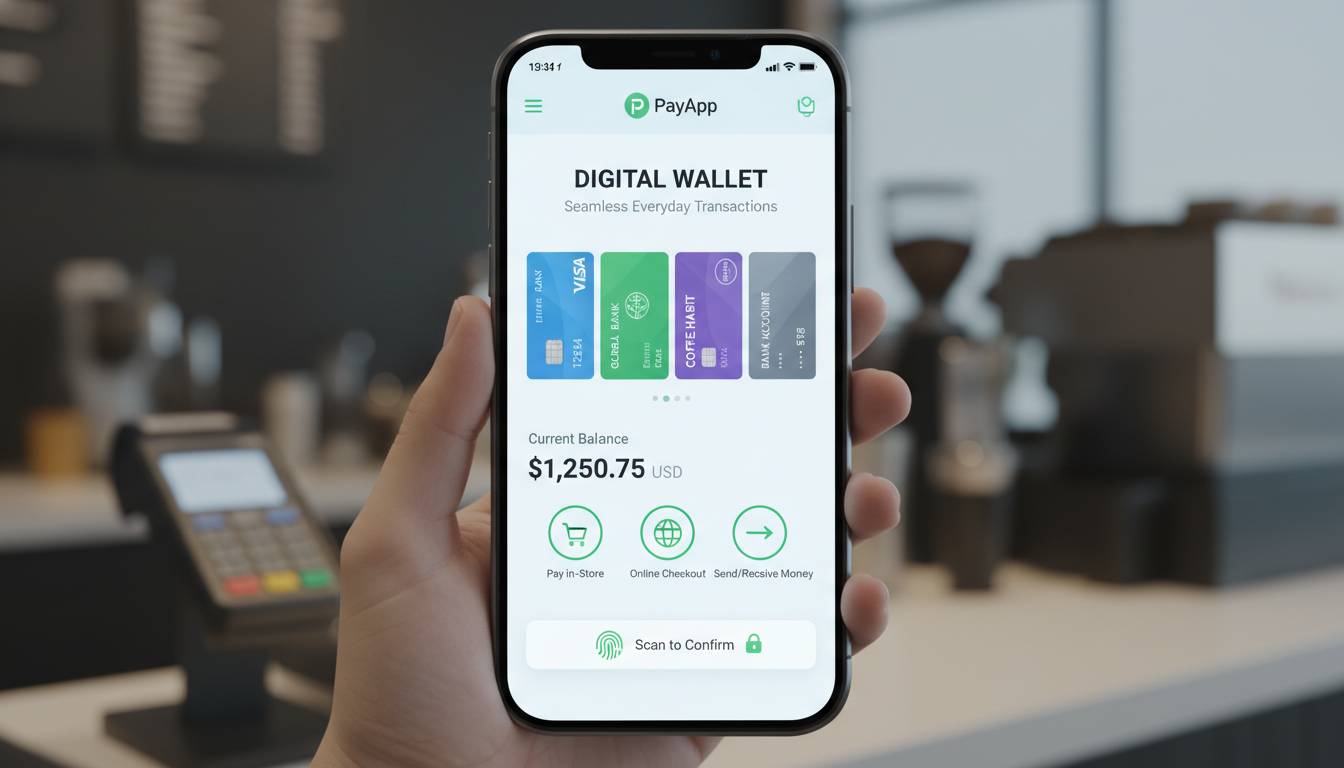
- Mobile wallets: Apps on your smartphone. Trust Wallet and MetaMask (mobile) fall into this category. They offer the highest convenience for everyday transactions.
- Browser extension wallets: These integrate directly with web browsers, making them particularly useful for interacting with decentralized applications (dApps) and decentralized exchanges. MetaMask is the dominant player here, with over 30 million monthly active users as of 2024.
Hardware Wallets
Hardware wallets are physical devices built for key security. They store your private keys in isolated, tamper-resistant hardware. When you need to sign a transaction, the device creates the signature internally and only transmits the signed transaction to your computer or phone — the private key never leaves the device.
The Ledger Nano S Plus and Trezor Model One remain the most recommended entry-level hardware wallets, while the Ledger Nano X adds Bluetooth connectivity for mobile users. For large holdings, hardware wallets are the industry standard for self-custody.
Custodial vs. Non-Custodial Wallets
This distinction applies across all the previous categories. A custodial wallet means a third party — typically an exchange like Coinbase or Kraken — holds your private keys on your behalf. You log into their platform, and they handle the cryptography. The advantage is convenience: if you lose your password, the exchange can help you recover your account. The disadvantage is counterparty risk — if the exchange gets hacked, freezes, or goes bankrupt, your funds could be inaccessible.
A non-custodial wallet puts you in complete control. You alone hold the private keys. The tradeoff is personal responsibility: if you lose your keys or seed phrase, no one can recover your funds. There’s no “forgot password” option when you’re your own bank.
Most experienced crypto users gravitate toward non-custodial solutions for long-term storage, using exchange wallets only for active trading balances. This separation minimizes exposure to any single point of failure.
How to Set Up a Crypto Wallet
Setting up a wallet varies slightly depending on the type you choose, but the core process follows a consistent pattern across most software wallets. Here’s how it works with a mobile wallet like Trust Wallet, which is representative of the general experience.
Step one: Download from official sources. This cannot be stressed enough. Fake wallet apps exist on app stores, and installing one can mean handing your keys directly to attackers. Always verify the developer name, check reviews, and ideally download from the official website rather than searching the app store.
Step two: Create your wallet. When you first open the app, you’ll be prompted to create a new wallet. The wallet will generate a random private key and display your recovery phrase — typically 12 or 24 words. This phrase is the master key to your wallet. Write it down on paper, store it somewhere secure, and never type it into any connected device.
Step three: Secure your recovery phrase. This is the only backup of your wallet. If your phone is lost, stolen, or breaks, the recovery phrase is your only path to recovering your funds. Never store it digitally — no screenshots, no cloud storage, no password managers. Paper and a fireproof safe is the standard recommendation.
Step four: Add cryptocurrencies. Most wallets support multiple blockchains. You’ll need to enable the specific networks you want to use. Ethereum, Bitcoin, and BNB Smart Chain are typically enabled by default, but others require manual activation within the wallet settings.
Step five: Fund your wallet. You can receive crypto by sharing your wallet address — the long string of characters (or QR code) that represents your public key. Always double-check the address matches the network you’re receiving on. Sending Bitcoin to an Ethereum address (or vice versa) typically results in permanent loss of those funds.
Hardware wallet setup adds one extra step: initializing the device and generating keys within the device itself rather than on your computer. The process is guided by the manufacturer’s software and typically takes about ten minutes for first-time users.
Are Crypto Wallets Safe?
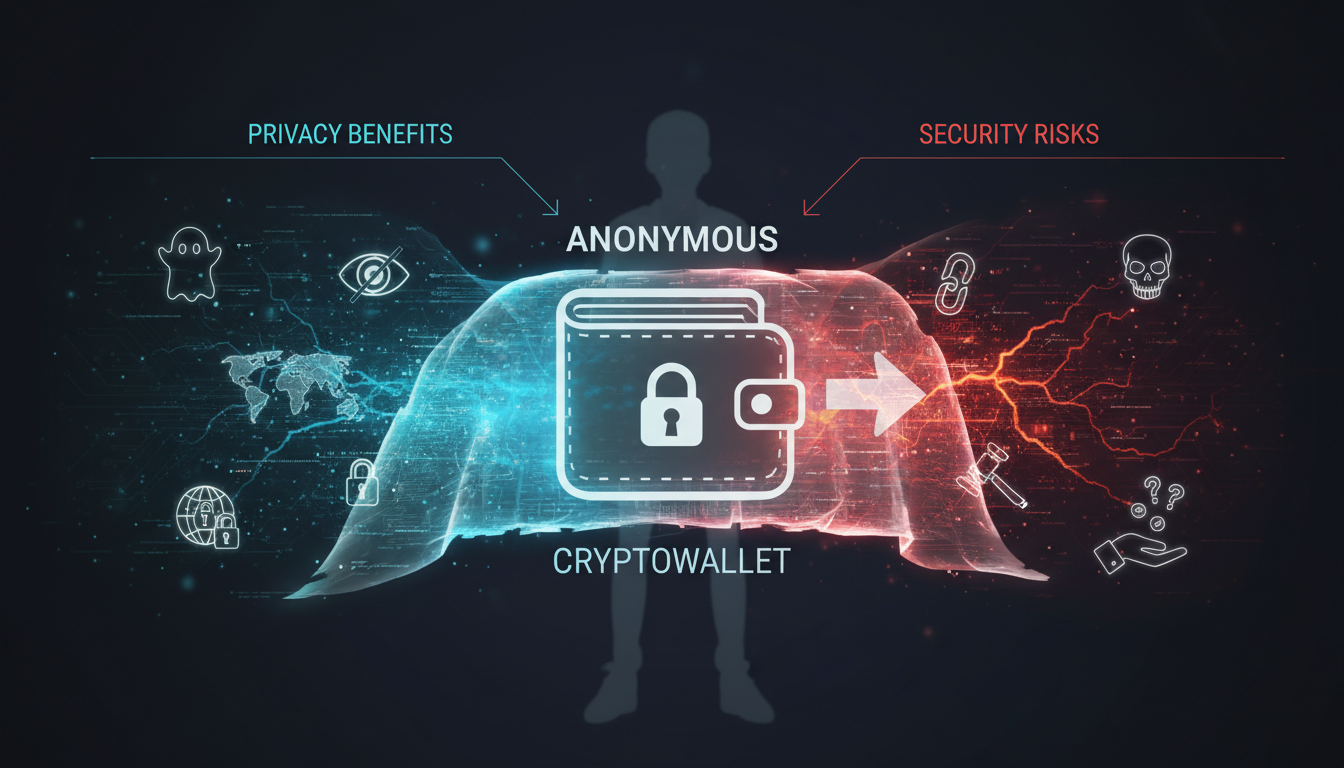
Here’s where honest nuance matters. Crypto wallets are safe when used correctly, but that qualification covers a lot of ground. The security of your holdings depends more on your behavior than on any particular piece of software or hardware.
The biggest risks are human. Phishing attacks — where scammers trick you into entering your seed phrase on a fake website — account for the majority of crypto thefts. No wallet technology protects you from entering your secrets into a malicious site. The solution isn’t better encryption; it’s better habits. Never enter your seed phrase on any website. Legitimate wallet apps and hardware devices will never ask for your seed phrase online.
Software wallets carry inherent tradeoffs. By being always-online, hot wallets are exposed to remote attacks. Malware on your computer can intercept passwords, clipboard contents (swapping your pasted address with the attacker’s), or even inject malicious addresses when you copy your own. Keeping your devices updated, using hardware wallets for large balances, and verifying transaction addresses character-by-character before signing all mitigate these risks.
Hardware wallets dramatically reduce the attack surface, but they’re not invulnerable. In 2023, security researchers demonstrated that certain Ledger devices could be tampered with in transit if purchased from unauthorized resellers. Buying directly from manufacturers and verifying the device’s integrity on first setup (checking for tampering evidence, updating firmware) addresses this vector. The firmware update process itself has faced scrutiny — Ledger’s controversial firmware update in 2023 sparked controversy because it technically enabled the company to extract keys under certain court-ordered scenarios, though the company maintained no such extraction had occurred.
Multi-signature wallets offer additional protection for significant holdings. These require multiple private keys to authorize a transaction — for example, requiring 2 of 3 keys. This means even if one key is compromised, attackers cannot move funds without the additional keys. Gnosis Safe and Casa are prominent multi-sig solutions, with Casa specifically designed for high-net-worth individuals requiring institutional-grade key management.
Insurance is essentially nonexistent. Unlike bank accounts protected by the FDIC, crypto holdings have no equivalent government backstop. Some custodians (like Coinbase) maintain insurance policies covering their hot wallet infrastructure, but this protection doesn’t extend to individual self-custody wallets. If you lose your keys, your funds are gone.
The honest assessment is this: self-custody crypto is safer than keeping funds on an exchange for long-term storage, but only if you understand and implement proper security practices. Hardware wallets, paper backups, and disciplined operational security create a security posture that exceeds what most centralized custodians can offer — but the responsibility is entirely yours.
Frequently Asked Questions
Do you need a digital wallet for crypto?
Yes, if you intend to hold cryptocurrency, you need a wallet. Even when you buy crypto on an exchange, the exchange is providing you with a custodial wallet. If you want true ownership — meaning you control the private keys — you need to set up a non-custodial wallet. This is strongly recommended for any crypto you don’t plan to trade immediately.
Is a crypto wallet the same as a wallet app?
The term “wallet app” typically refers to mobile or software wallets, which are indeed a type of crypto wallet. However, crypto wallets also include hardware devices and paper backups. So “wallet app” is a subset of the broader category, not a synonym for it.
What is the safest crypto wallet?
Hardware wallets from established manufacturers like Ledger and Trezor are generally considered the safest option for self-custody. Among them, the Trezor Model T offers open-source firmware that security researchers can audit, while Ledger devices feature secure elements certified by French cybersecurity agencies. The “safest” choice depends on your threat model, but for most users, a hardware wallet paired with proper seed phrase storage represents the optimal balance of security and usability.
Can a crypto wallet be hacked?
Any wallet connected to the internet can theoretically be hacked, though the difficulty varies enormously. Software wallets with poor security practices are vulnerable to malware and phishing. Hardware wallets resist remote attacks but can be compromised through supply chain tampering or physical attacks if an attacker gains prolonged access. The practical answer is that hardware wallets dramatically reduce hack risk compared to hot wallets, but no wallet is 100% impenetrable.
What happens if I lose your wallet?
If you lose a software wallet without your seed phrase, your funds are unrecoverable. This is by design — without the seed phrase, there’s no way to reconstruct the private keys. If you lose your hardware wallet but have your seed phrase (written down separately), you can recover your funds by importing that seed phrase into any compatible wallet. This is why the seed phrase backup is the single most important element of crypto ownership.
Conclusion
Understanding crypto wallets requires abandoning the mental model of a physical wallet and replacing it with one centered on cryptographic keys and blockchain networks. The wallet is your interface to the decentralized financial system — a tool that holds your secrets, constructs your transactions, and verifies your identity to the network. Whether you choose a hot wallet for convenience, a hardware wallet for security, or a combination approach that separates your trading funds from your long-term holdings, the fundamental principle remains: you are your own bank, and the security of your keys determines the security of your assets.
The space continues to evolve. Multi-chain wallets are becoming the norm rather than the exception, simplifying the complexity of managing keys across dozens of different blockchains. Account abstraction on Ethereum is enabling social recovery and gas fee sponsorship, potentially solving the seed phrase problem that has locked users out of their funds for years. Yet the core principle — that you must protect your private keys as if your financial life depends on it — will remain regardless of how the user interface evolves.